Resource Cracker
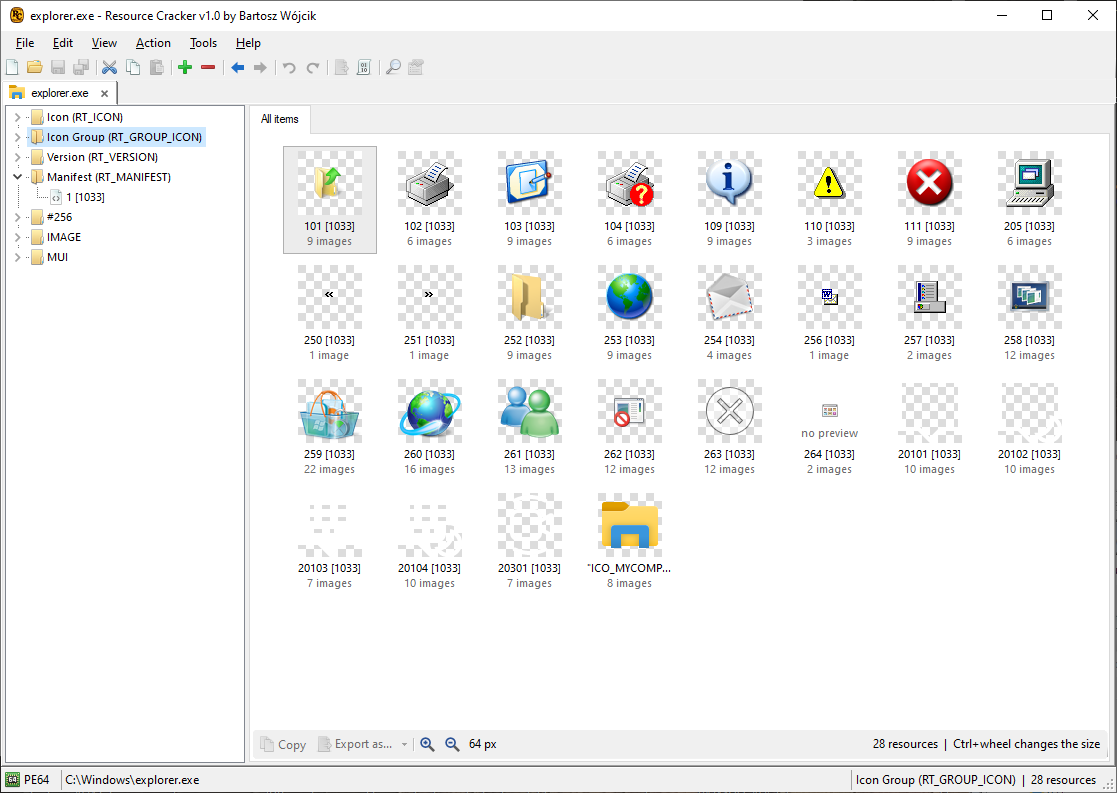
Resource Cracker is a free Windows program for viewing and editing resources in executables and in standalone resource files. Open a file, pick a resource, and inspect it as a preview, a structured editor, or raw bytes.
Open a module, edit its resources
The file kind is recognized from the contents, not only from the extension. Several files can stay open at once. Each file is a tab. Drag a tab to reorder it. Middle-click a tab, or press Ctrl+W, to close it.
The left pane is the resource tree. Types are the parents. Each resource is shown as its name and language, for example 1 [1033]. A type marked with * has a modified or new resource under it. A new resource is drawn in green.
The right pane has three views of the selection: Preview, Editor, and Hex editor. Ctrl+1 through Ctrl+4 switch the open views. The same add, replace, delete, and save operations are available from the command line.
Supported files
Drop a file on the window, or use Ctrl+O. Drop a folder to scan it for modules. File, Open with Windows loader shows the module the way the Windows loader sees it. That view is read-only.
| Format | Extensions | Notes |
|---|---|---|
 PE32 and PE64+ |
.exe .dll .ocx .cpl .scr .sys .drv .ax .efi |
Edit and save. |
 NE (16-bit) |
.exe .dll .drv |
Save rewrites the resource table and the resource bytes. It does not move program segments. Save is refused, and the file is left unchanged, when the new table would overlap a segment or another resource, a resource is larger than one NE entry, a name is longer than 255 bytes, an integer id is above 32767, a resource was truncated on read, or one type has more resources than an NE type list can hold. |
 .NET IL (CIL) |
.exe .dll |
Win32 resources. A Managed resources node lists the managed resources. It is not a Win32 resource you rewrite. |
 .NET ReadyToRun |
.exe .dll |
Edit the Win32 resource directory. |
 .NET Native AOT |
.exe .dll |
Edit the Win32 resource directory. |
 C++/CLI (IJW) |
.exe .dll |
Mixed-mode images. Win32 resources are edited as on a native PE. |
 Windows metadata |
.winmd |
WinMD files that carry a resource directory. |
 Netmodule |
.netmodule |
Standalone .NET modules. |
 Language files |
.mui .mun |
Multilingual User Interface resources. |
 Compiled resources |
.res |
Open, edit, and save a compiled resource file. |
 Resource script |
.rc |
Edit in the window. Compile to .res from the command line. |
 Folder |
A folder dropped on the window is scanned for modules. |
Icons, cursors, and bitmaps
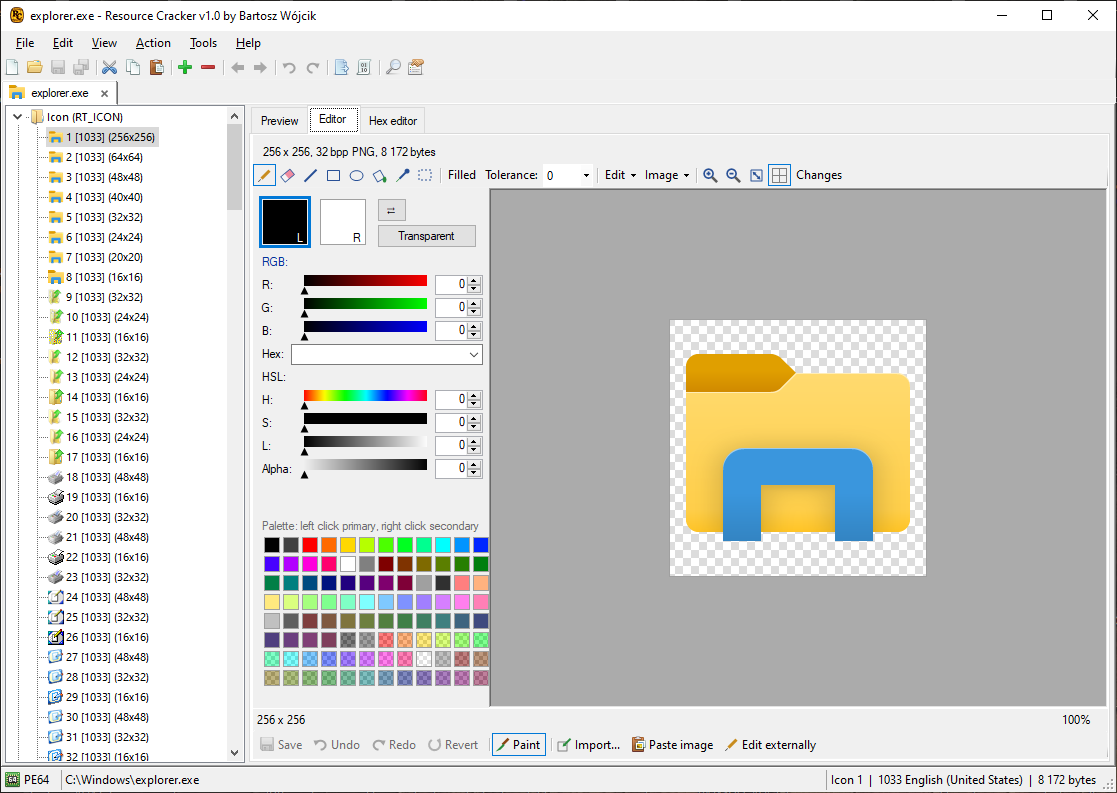
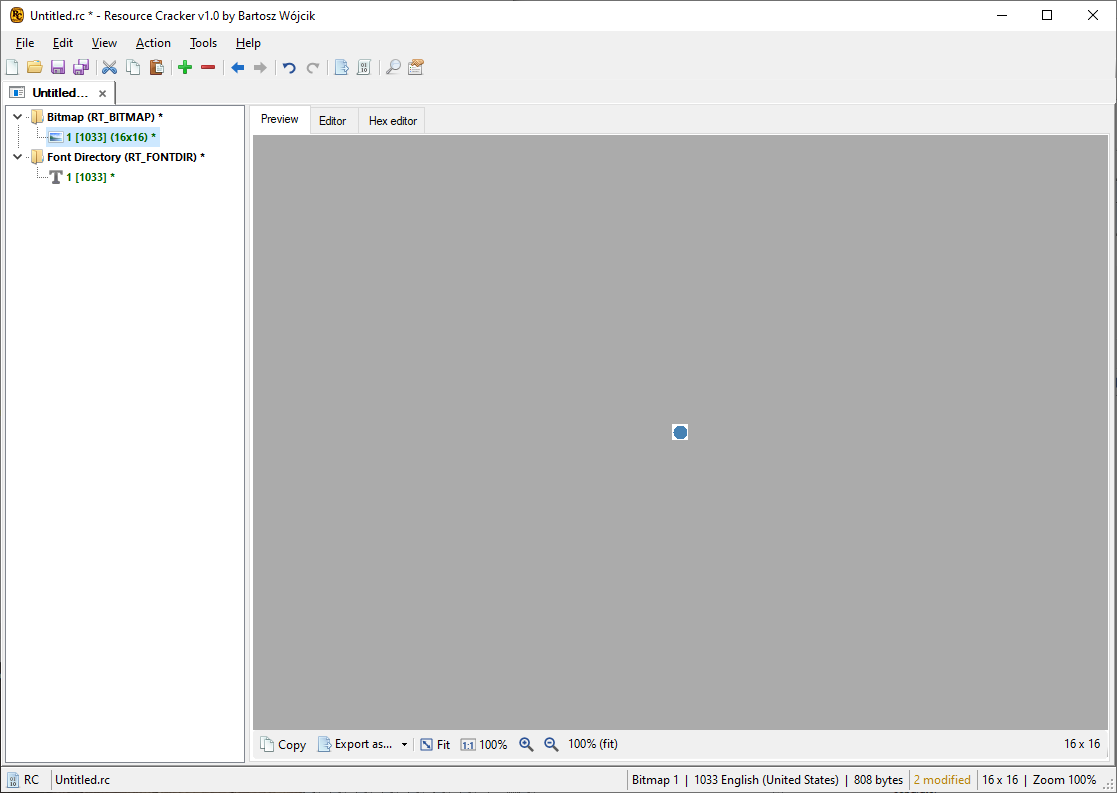
Preview the picture. Paint in the image editor. Export as PNG, BMP, JPEG, GIF, TIFF, or WebP. Replace the image by dropping a file on the preview.
Icon and cursor groups own the individual images. Editing the group updates those images together. In a command-line mask, ICON means the icon group and CURSOR means the cursor group, not a single image.
An icon group exports as .ico. A cursor group exports as .cur.
Dialog preview
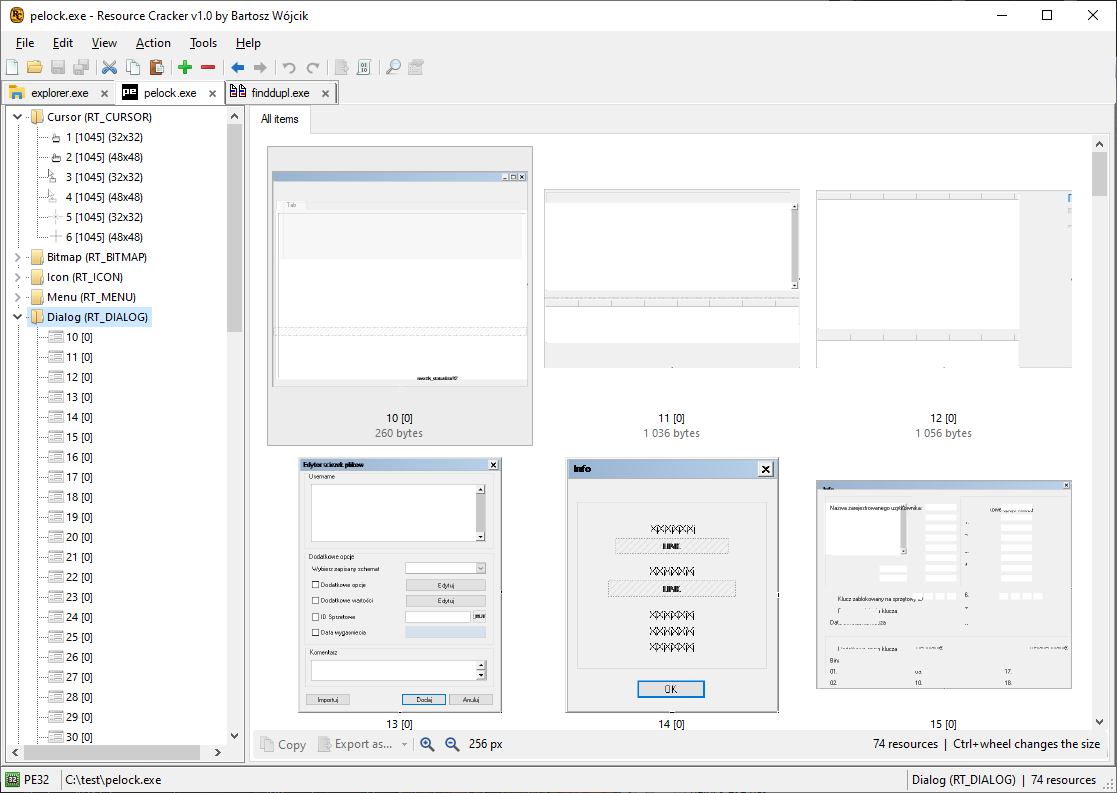
Select a dialog and the preview draws it from the resource template: controls, captions, and styles.
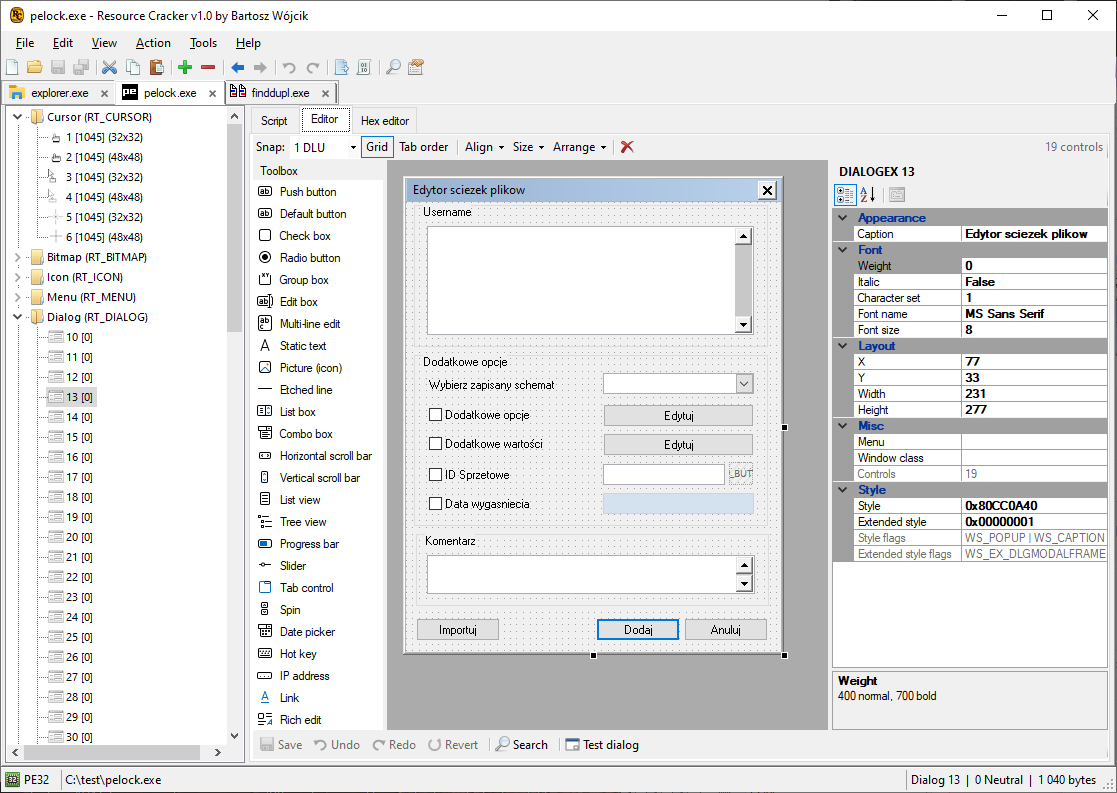
The same dialog can be opened in the visual designer or as an .rc script. Ctrl+1, Ctrl+2, and Ctrl+3 move between the views that are open for the selection.
Dialog designer
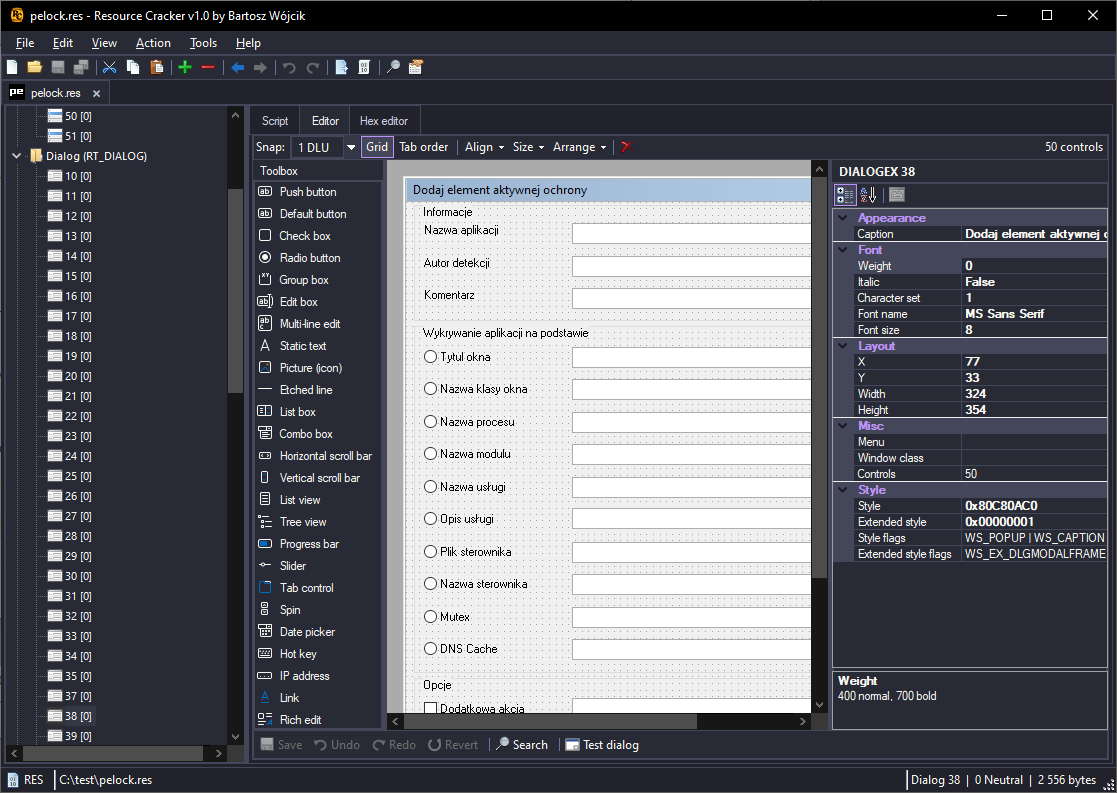
Arrow keys move the selected controls. Hold Ctrl to move by one dialog unit. Hold Shift to resize. Ctrl+click or Shift+click adds to the selection. Drag on empty space to draw a rubber band.
Del deletes the selected controls. Ctrl+C, Ctrl+X, and Ctrl+V copy, cut, and paste them. Esc clears the selection and leaves tab-order mode.
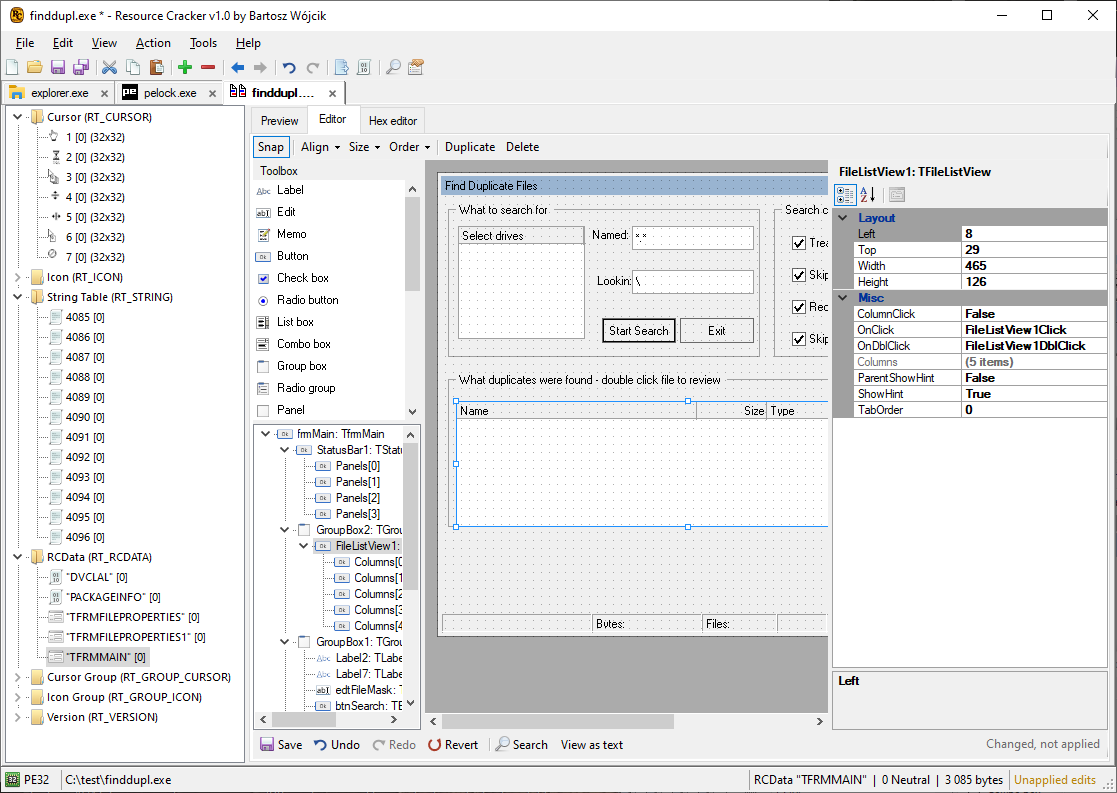
Delphi VCL forms
Delphi stores VCL forms as dialog-style resources. Open the executable, select the form, and edit it in the designer or as script, the same way as a standard RT_DIALOG.
Menus, strings, accelerators, version
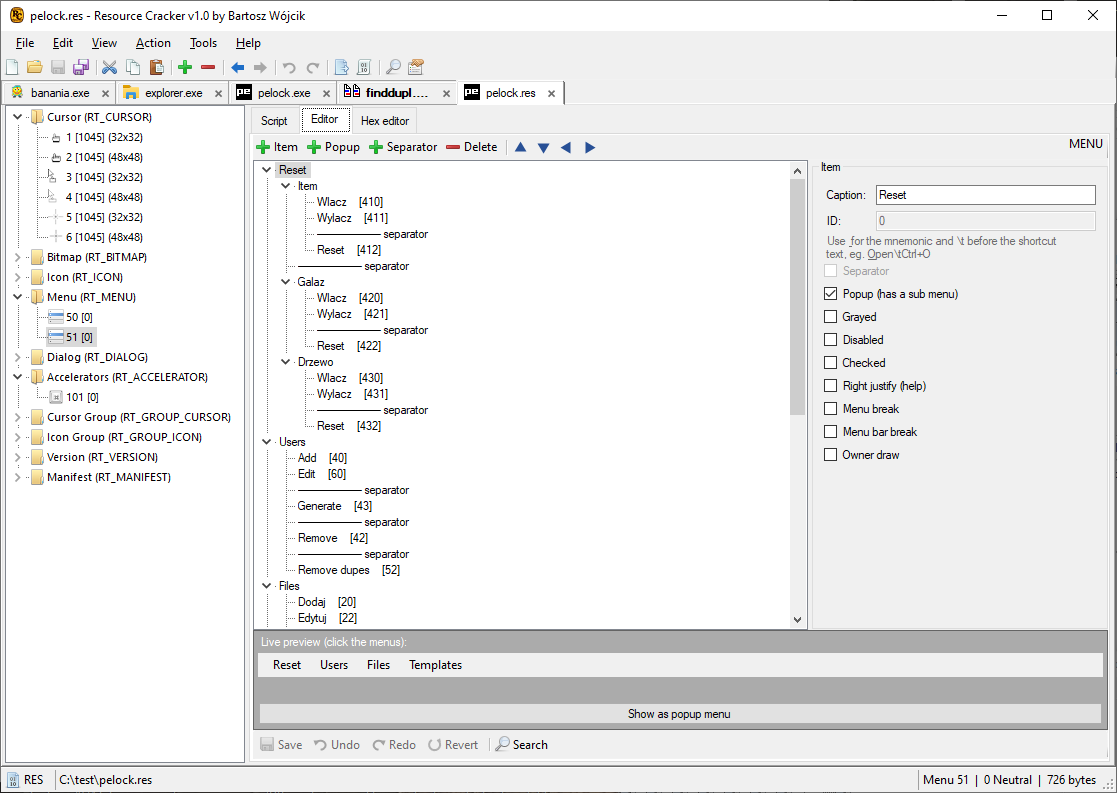
Menu. Preview the menu. Edit items in the menu editor or as script. Alt+Up and Alt+Down move an item. Alt+Left outdents it. Alt+Right indents it. Insert adds an item. Del removes it.
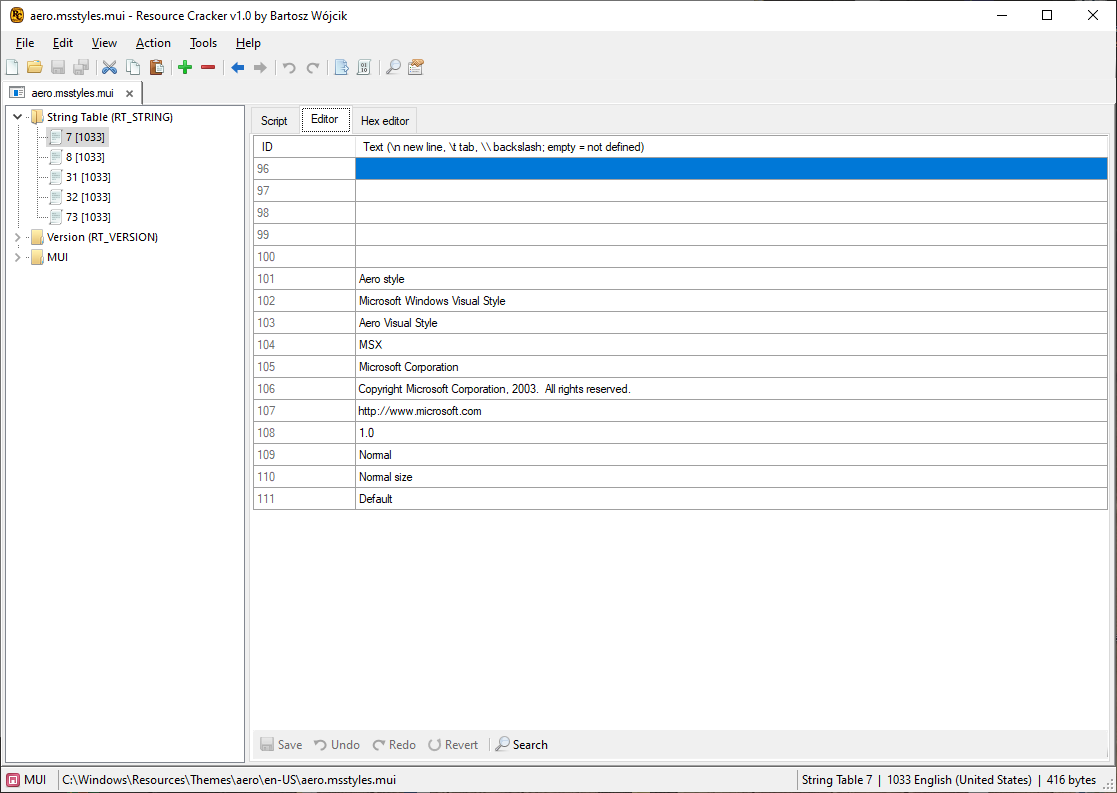
String table. Blocks hold sixteen strings. Edit the strings in the grid.
Accelerators. Edit the shortcut table.
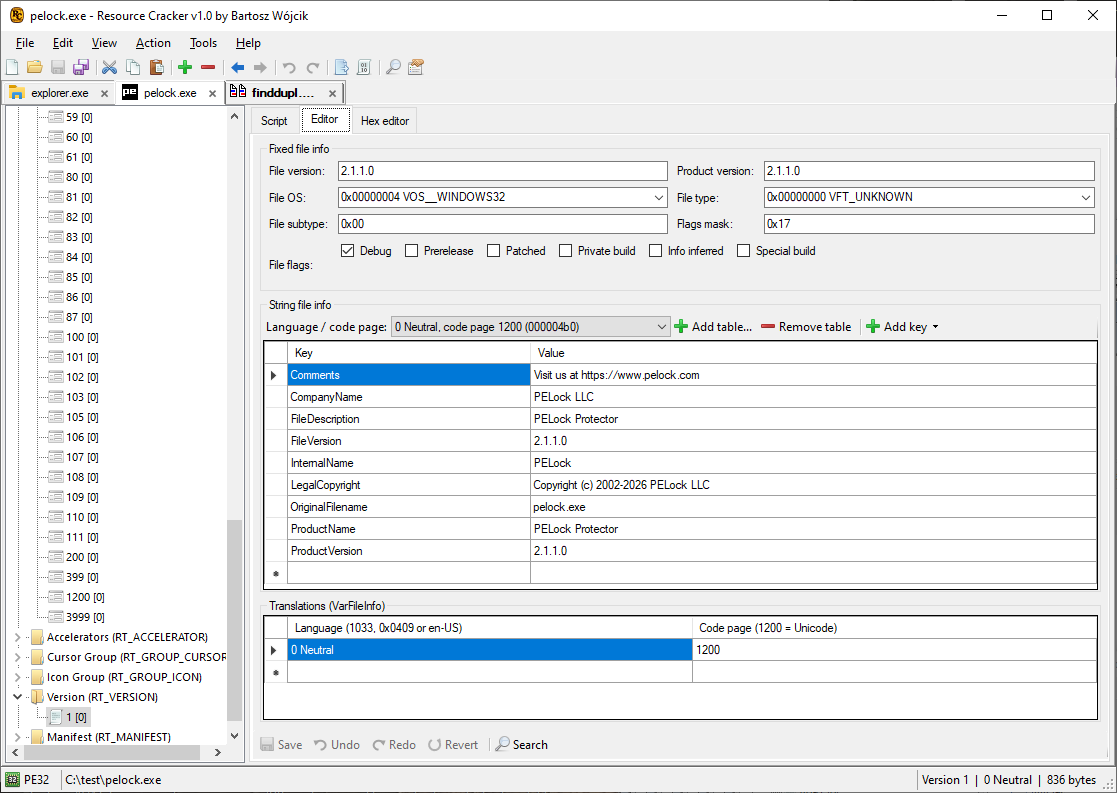
Version. Edit the fixed VS_FIXEDFILEINFO fields and the string tables (comments, company, file version, product name, and the rest).
Manifest editor
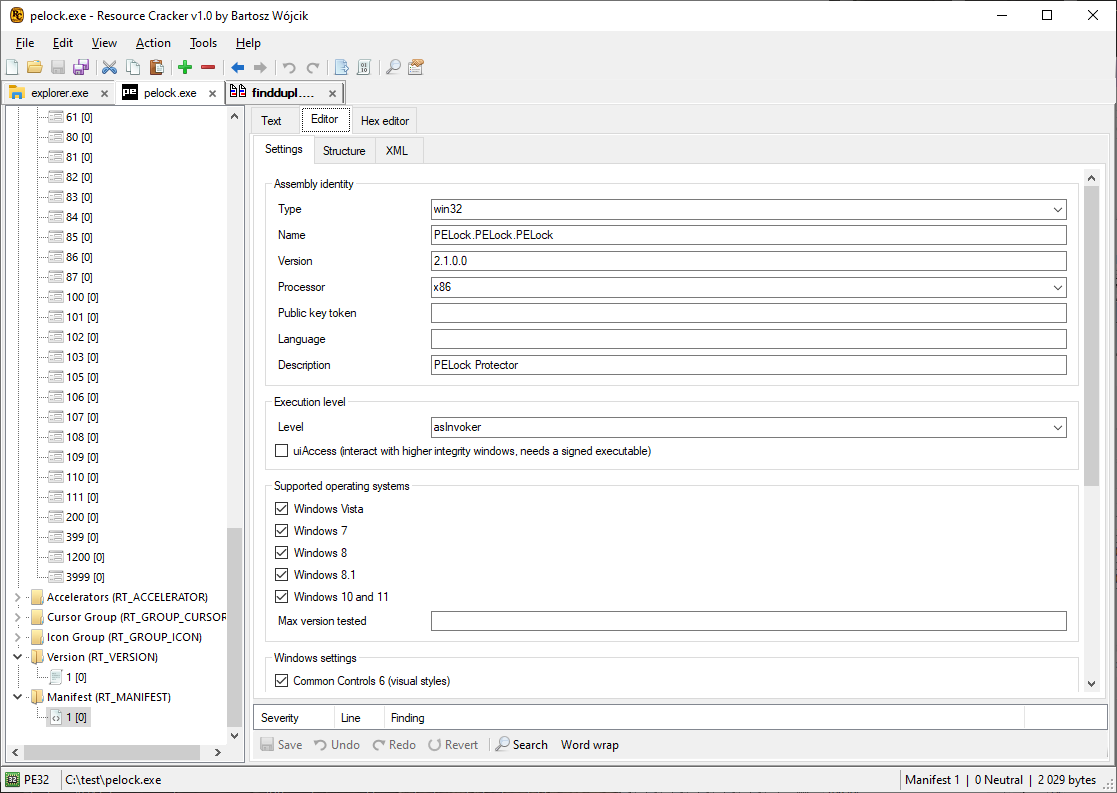
RT_MANIFEST is shown as XML. Edit the document in place. The editor flags common problems in the assembly identity, compatibility section, and requested execution level.
16-bit NE executables
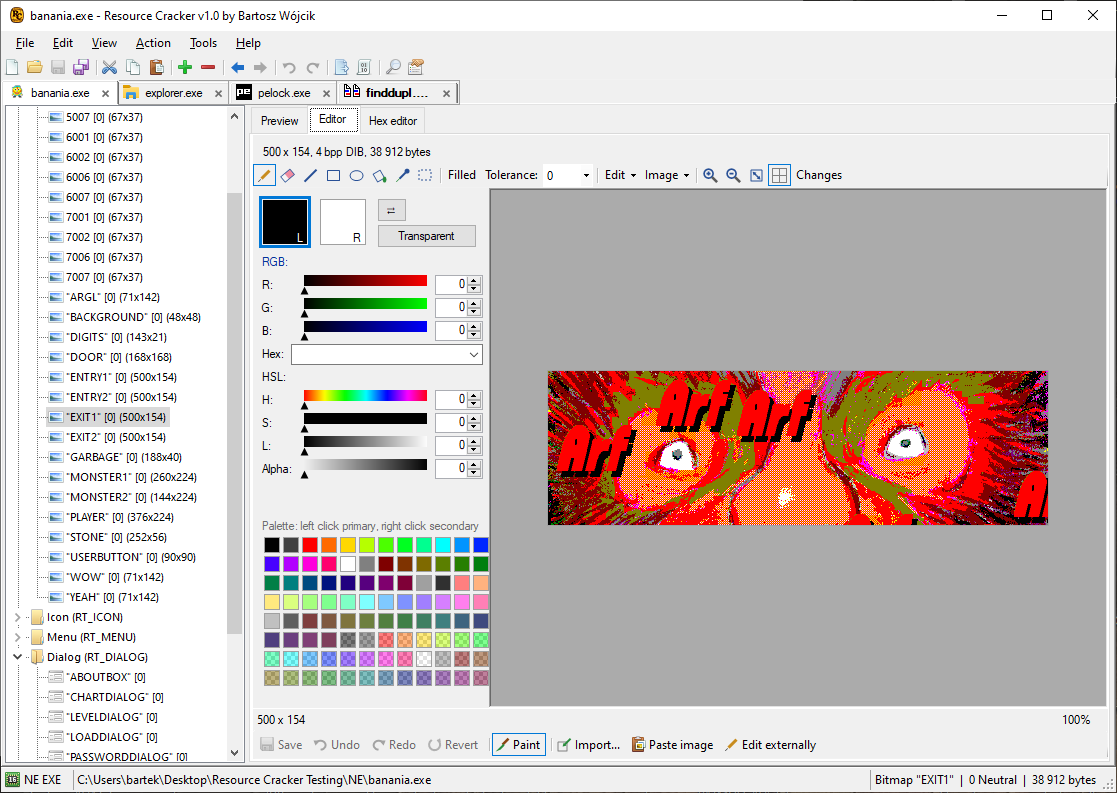
A 16-bit New Executable can be edited and saved. Save rewrites resources in place. If the new resource table or a resource does not fit the NE format, the save stops and the original file stays as it was.
Preview and the structured editors work on the same types as on a PE file: icons, dialogs, menus, strings, and version info.
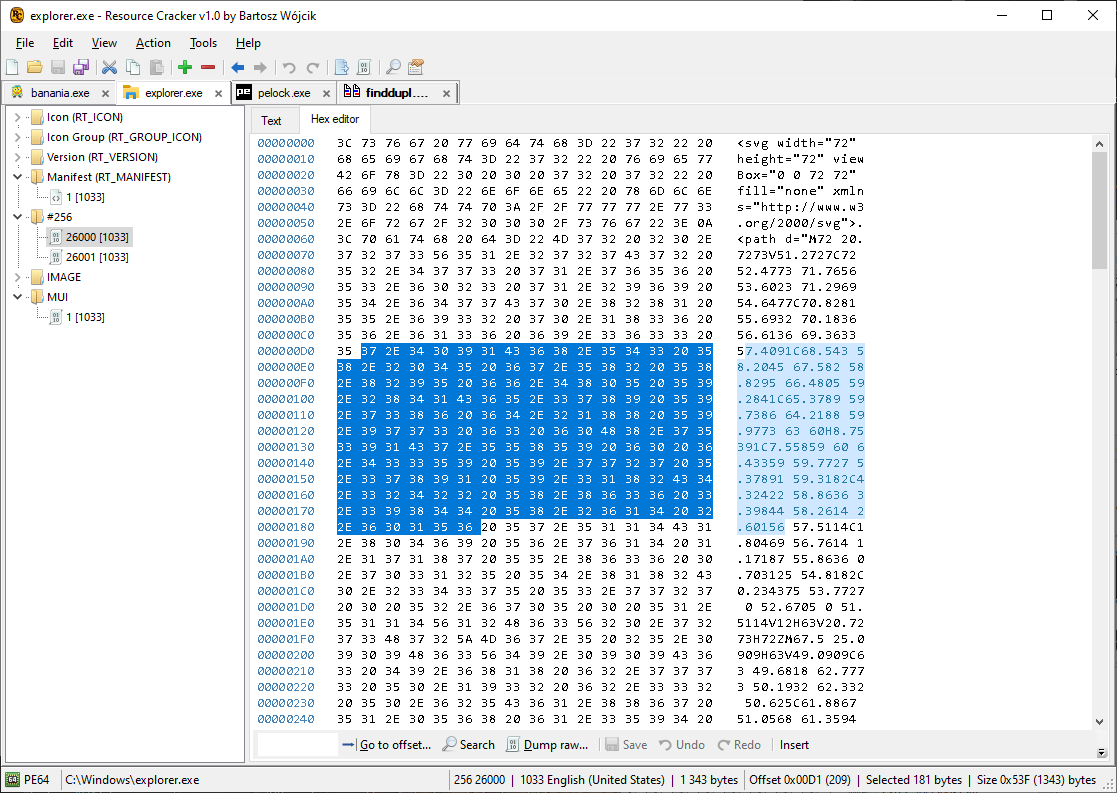
Hex editor
Every resource can be edited as raw bytes. Ctrl+G goes to an offset. Insert switches insert and overwrite. Bytes per line and grouping are set under Tools, Options, Hex.
Custom types (a number or a name that is not a standard RT_ type) are shown as #number or as the type name. They open in the hex editor and can be dumped as raw bytes.
Edit a resource as an .rc script
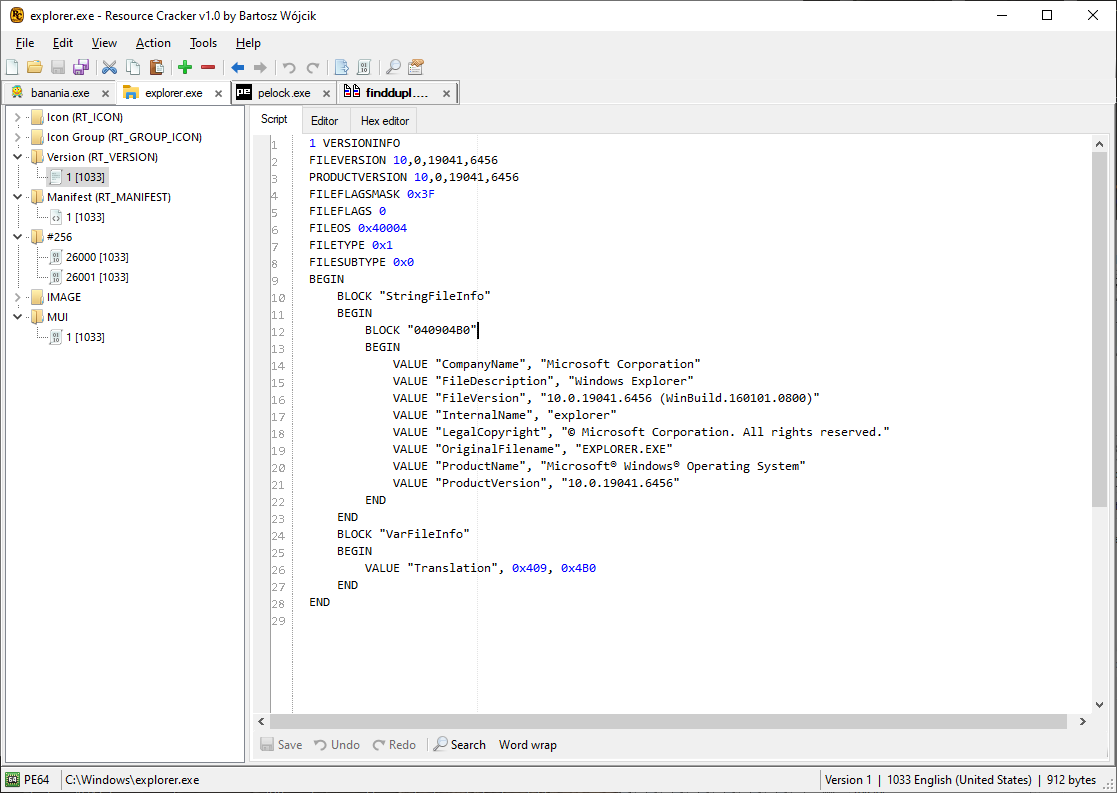
Scriptable resources (dialogs, menus, string tables, accelerators, version info) can be edited as resource-script text and exported as an .rc file.
The script view and the visual editor write the same resource. Use whichever is shorter for the change.
Compiled .res files
A .res file is a resource directory without a PE header. Open it, edit any resource, and save it back. You can also copy resources between a .res file and an executable.
Resource scripts
Open an .rc script in the window and edit it as text. From the command line, -action compile compiles an .rc file (-open) into a .res file (-save). Compile is used on its own, not together with other actions, and it is not a step inside a script file.
Export
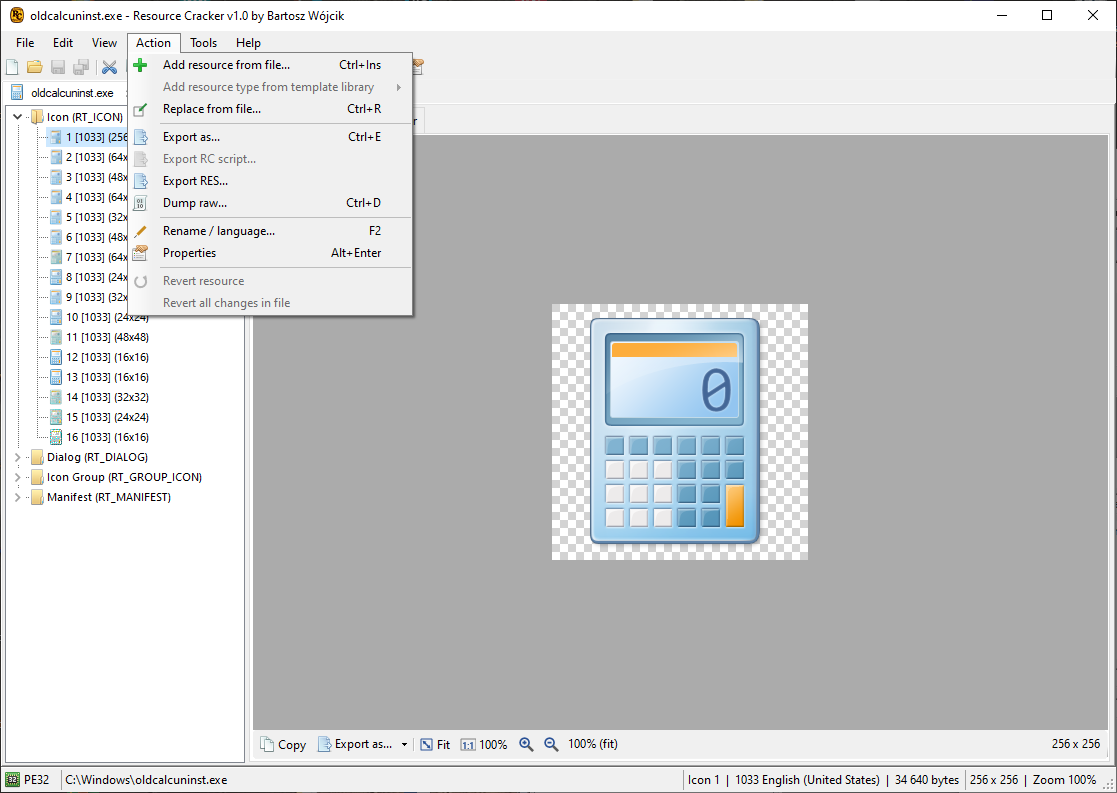
Ctrl+E writes the resource in another format when one exists. Bitmaps, icons, and cursors can be written as PNG, BMP, JPEG, GIF, TIFF, or WebP. An icon group can be written as .ico and a cursor group as .cur. Scriptable resources can be written as an .rc script.
Ctrl+D dumps the stored bytes unchanged. File, Export all writes every resource of the current file. Drag a resource from the tree onto Explorer to export it.
Options
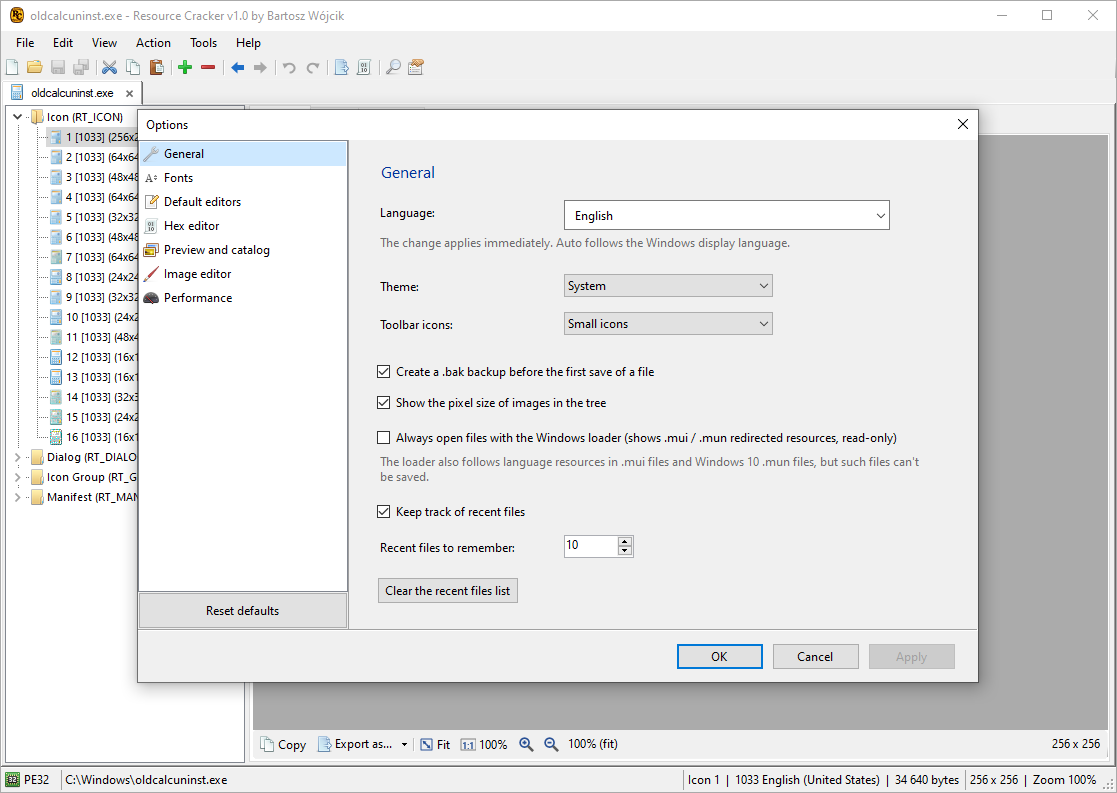
Tools, Options covers language, theme (System, Light, or Dark), .bak backup before the first save of a session, recent files, editor font, the default view for each resource type, hex layout, picture fitting, checkerboard colors behind transparent images, and background work.
The theme follows Windows when it is set to System. A language change takes effect after you confirm the options.
Dark theme
Light, Dark, or System. System tracks the Windows app theme. The tree, editors, and hex view use the same theme.
MUI language files
.mui and .mun files are resource-only modules. Open one and edit its strings, dialogs, menus, and the other resources the same way as in the main binary.
F2 renames a resource or changes its language id. Language 0 is Neutral. Other languages use the Windows language id, such as 1033 for English (United States).
Supported resource types
Standard Win32 types are listed under a friendly name and the RT_ constant. A file can also contain a custom type. Add one with Action, Add resource and type a name or a number.
| Type | Constant | Id | Editor |
|---|---|---|---|
 Cursor |
RT_CURSOR |
1 | Preview, image editor, export |
 Bitmap |
RT_BITMAP |
2 | Preview, image editor, export |
 Icon |
RT_ICON |
3 | Preview, image editor, export |
 Menu |
RT_MENU |
4 | Preview, menu editor, script |
 Dialog |
RT_DIALOG |
5 | Preview, dialog designer, script |
 String table |
RT_STRING |
6 | String grid. Blocks of 16 strings |
 Font directory |
RT_FONTDIR |
7 | Hex editor, raw dump |
 Font |
RT_FONT |
8 | Hex editor, raw dump |
 Accelerators |
RT_ACCELERATOR |
9 | Shortcut table |
| RCData |
RT_RCDATA |
10 | Text or image preview when the bytes match; otherwise hex |
 Message table |
RT_MESSAGETABLE |
11 | Read the messages |
| Cursor group |
RT_GROUP_CURSOR |
12 | Preview every image. Export as .cur |
 Icon group |
RT_GROUP_ICON |
14 | Preview every image. Export as .ico |
 Version |
RT_VERSION |
16 | Fixed info and string tables |
| Dialog include |
RT_DLGINCLUDE |
17 | Text preview or hex |
 Plug and Play |
RT_PLUGPLAY |
19 | Hex editor, raw dump |
| VXD |
RT_VXD |
20 | Hex editor, raw dump |
 Animated cursor |
RT_ANICURSOR |
21 | Preview, image editor |
| Animated icon |
RT_ANIICON |
22 | Preview, image editor |
 HTML |
RT_HTML |
23 | Text preview or hex |
 Manifest |
RT_MANIFEST |
24 | XML editor with a problem check |
 Custom type |
name or number | Hex editor and raw dump |
What you can do with it

Reverse engineering
Walk the resource tree of a PE, preview a dialog or an icon, or dump the raw bytes. Ctrl+F searches the current view. F3 finds the next match. Alt+Left and Alt+Right move back and forward through resources you have selected.

Localization
Edit string tables, dialogs, and menus, then change the language id with F2 or with changelanguage on the command line. Open the matching .mui file when the strings live outside the main binary.

Installers and packaging
Extract an icon group, replace a bitmap, or strip a version block, then save the executable. The first save of a session can copy the original to a .bak file beside it.

Win32 and Delphi
Standard dialogs and Delphi VCL forms open in the designer. Move and resize controls in dialog units, or edit the same template as script.

Build scripts
Any switch runs a batch and does not open the window. The process returns 0 on success and 1 when the command fails. A path with no switches opens that file in the window.

Resource scripts
Edit a resource as .rc text, or compile a script to .res with -action compile. Adding from another PE, .res, or .rc copies the resources that match the mask.

Icons and bitmaps
Paint, replace by drop, and export PNG, BMP, JPEG, GIF, TIFF, WebP, .ico, and .cur. Ctrl++, Ctrl+-, and Ctrl+0 zoom. Ctrl+wheel zooms an image.

Manifest and version
Edit the application manifest as XML. Edit VS_FIXEDFILEINFO and the version string tables without a hex patch.
Command line
A filename by itself opens the window. Any switch runs a batch and does not open the window. A switch starts with - or /. The name can be shortened as long as it stays unique, so -o is -open and -a is -action. A value follows the switch as the next argument, or after = or :.
-open is required, except that -help does not open a file. -save is required when the command changes the file. Saving over the same path updates it in place. A different -save path writes a copy.
If you omit -log, messages go to Resource Cracker.log in the current directory. CON writes them to the console. NUL writes nothing.
The mask is Type,Name,Language. Leave a part empty to match every value. Commas are required when a later part is present. A type may be a number, an RT_ name, or a word such as BITMAP, ICON, DIALOG, VERSION, or MANIFEST.
- Extract
- Add or replace
- Delete
- Compile .rc
- Language
- Script file
"Resource Cracker.exe" -open app.exe -action extract -mask ICON -save C:\outWrite every icon group. -save is a folder when more than one resource matches. Use -resource or -save as the destination file when one resource matches.
"Resource Cracker.exe" -open app.exe -resource logo.png -action addoverwrite -mask BITMAP,1,1033 -save app.exeadd fails if that type, name, and language already exist. addskip leaves the existing resource unchanged. addoverwrite replaces it. modify replaces an existing resource and skips it if it is missing. Adding one ordinary file requires a type and a name in the mask.
"Resource Cracker.exe" -open app.exe -action delete -mask VERSION -save app-noversion.exedelete removes every resource that matches the mask. An empty part of the mask matches every value of that part.
"Resource Cracker.exe" -open script.rc -action compile -save script.resCompile is used on its own. It is not combined with other actions and it is not a command inside a script file.
"Resource Cracker.exe" -open app.exe -action changelanguage(1033) -mask DIALOG,100, -save app.exe -log CONchangelanguage(n) sets the language id of every match. The trailing comma keeps the language part empty, so every language of dialog 100 is updated. -log CON prints the log to the console you started.
"Resource Cracker.exe" -script commands.txt[FILENAMES]
Open=C:\in\app.exe
Save=C:\out\app.exe
Log=C:\out\app.log
[COMMANDS]
-add logo.png, BITMAP,1,1033
-addskip extra.res, ,,
-addoverwrite picture.ico, ICON,1,0
-modify note.txt, RCDATA,NOTE,0
-extract C:\out\icons, ICON
-delete VERSION
-changelanguage(1033) DIALOG,100,Lines starting with // are comments, except inside quotes. Open may be written as Exe. Save may be written as SaveAs. Open is required. Save is required when a command changes the file. A script needs at least one command.
Actions
| Action | Effect |
|---|---|
add |
Add the resource. Fail if that type, name, and language already exist. |
addskip |
Add it, or leave the existing one unchanged. |
addoverwrite |
Add it, or replace the existing one. |
modify |
Replace an existing resource. Skip it if it is missing. |
delete |
Delete every resource that matches the mask. |
extract |
Write the matching resources. The destination is a file, or a folder when more than one matches. |
changelanguage(n) |
Set the language id of every match. |
compile |
Compile an .rc script into a .res file. Used on its own. |
Any questions?
If you would like to ask me about Resource Cracker, or something's not clear, mail me. I'll be happy to answer all of your questions.